
For clubs, schools and leagues
Team store software
Open a store for every team. Players order and pay online, and you print the whole batch when it closes.
Everything a team store needs
- Open and close dates with a countdown
- Player packs: several items, one name and number
- Delivery to the club or to each home
- Fundraising on every order
- An organiser login with orders, sizes and money raised
One batch, not fifty orders
When a store closes it becomes one production batch with worksheets, pull sheets and packing lists for the whole team.
What team store software does for a decorator
A team store is a short online shop for one club, school or league. Players and parents pick their size, add a name and number, and pay. You print nothing until the store closes, then you make the whole order in one go. Team store software runs that store for you: the dates, the products, the payments and the paperwork. Dyenzo does it inside the same system you use for quotes, production and invoices, so a team store order is a normal order the moment it is paid.
How a team store runs, step by step
- Set up the store: pick the products, the design on each, the price level and the open and close dates.
- Share the link with the coach or organiser. They send it to the team.
- Players order and pay online. Each order is held, not printed.
- The store closes on its own at the time you set.
- Every order becomes one production batch with worksheets, pull sheets and packing lists.
- Order the blanks, print the batch, pack it by player and deliver.
- Pay the club the money it raised.
Step 1: build the store in minutes
Each store is its own sub-site on your website at its own address, built with the same website builder as the rest of your site. Start from a store template so the access, checkout, delivery and pricing settings are already right, or clone last season's store and change the dates. Add products from your catalogue, or add a supplier blank straight to the store. When you put a design on a product, Dyenzo makes the product pictures for you in every colour you offer, front and back.
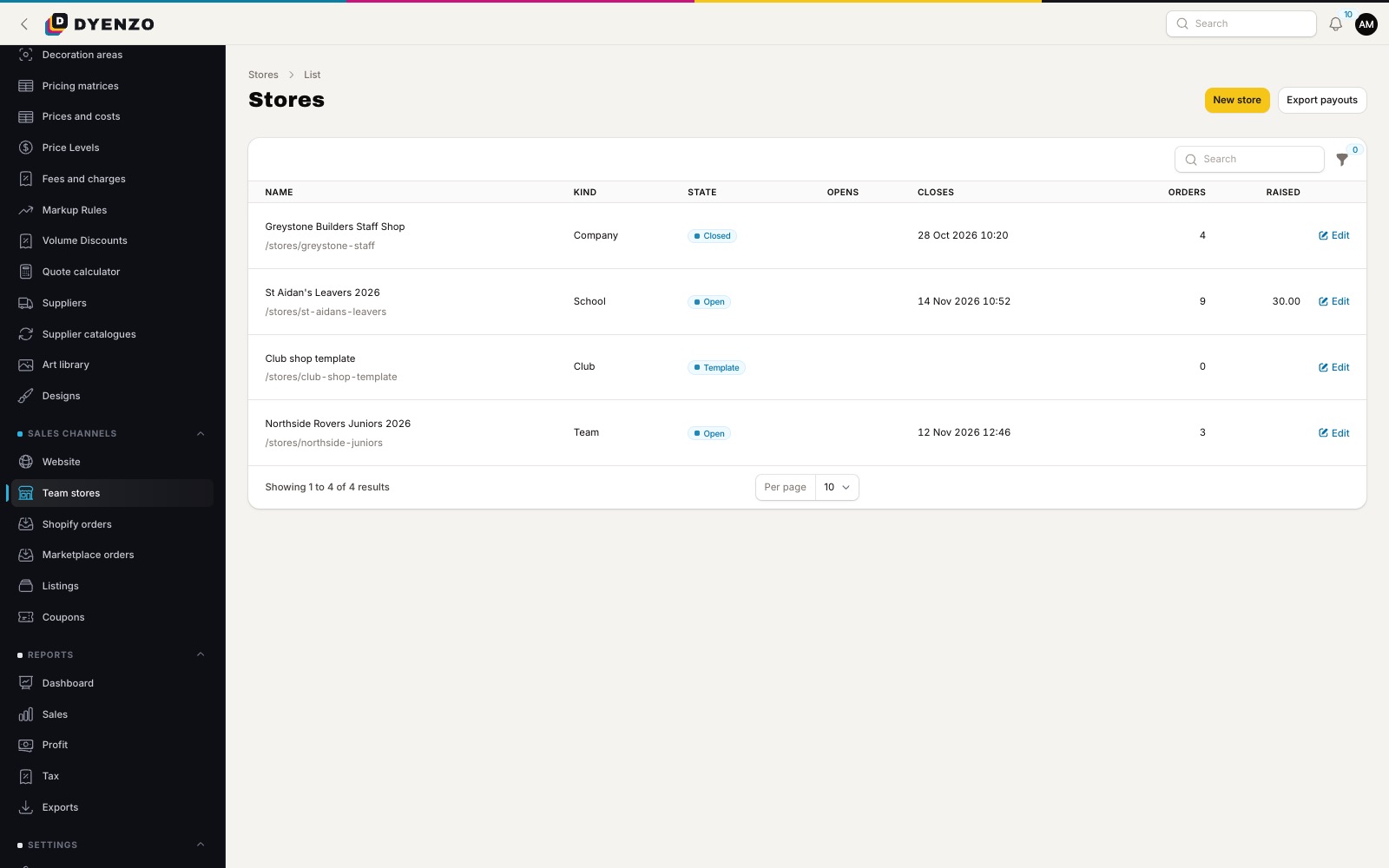
Step 2: choose who can buy and how they get it
| Setting | Your choices |
|---|---|
| Who can see the store | Anyone with the link, anyone with the password, signed-in customers, or signed-in members of the club's company |
| Delivery | Sent to each shopper, delivered to the club in one delivery, or collected |
| When orders go to production | When the store closes, when your staff release the batch, or as each order is paid |
| Fundraising | None, an amount for each item, or a share of the goods |
Step 3: player packs, names and numbers
Most clubs sell a kit, not single items. A player pack is a set of 2 to 10 of the store's items, such as a shirt, shorts and socks, bought together with one name and number for the player. The pack goes into the cart as one thing and comes out on the order grouped under the player's name, so packing is simple. You can keep an item pack-only so nobody buys it alone. If you turn on the designer for a store, shoppers can personalise items within the rules you set, such as a limit on thread colours for embroidery.
Step 4: the store opens and closes on time
Dyenzo opens and closes each store on the minute. The store page can show a countdown and the date the order is due, so parents know when to order and when kit will arrive. Shoppers who leave something in their cart can get a "store closing soon" email before the deadline. You and the organiser get an email when the store opens and when it closes.
Step 5: one batch, ready for the shop floor
When a store closes, every paid order becomes one batch. Print the worksheet, the pull sheet of blanks by size and the packing list for the batch, plus box labels. Print files for the batch are made as one print run, and the batch moves across your production board like any other job. Need papers for orders that span batches? Pick the orders and print them together.
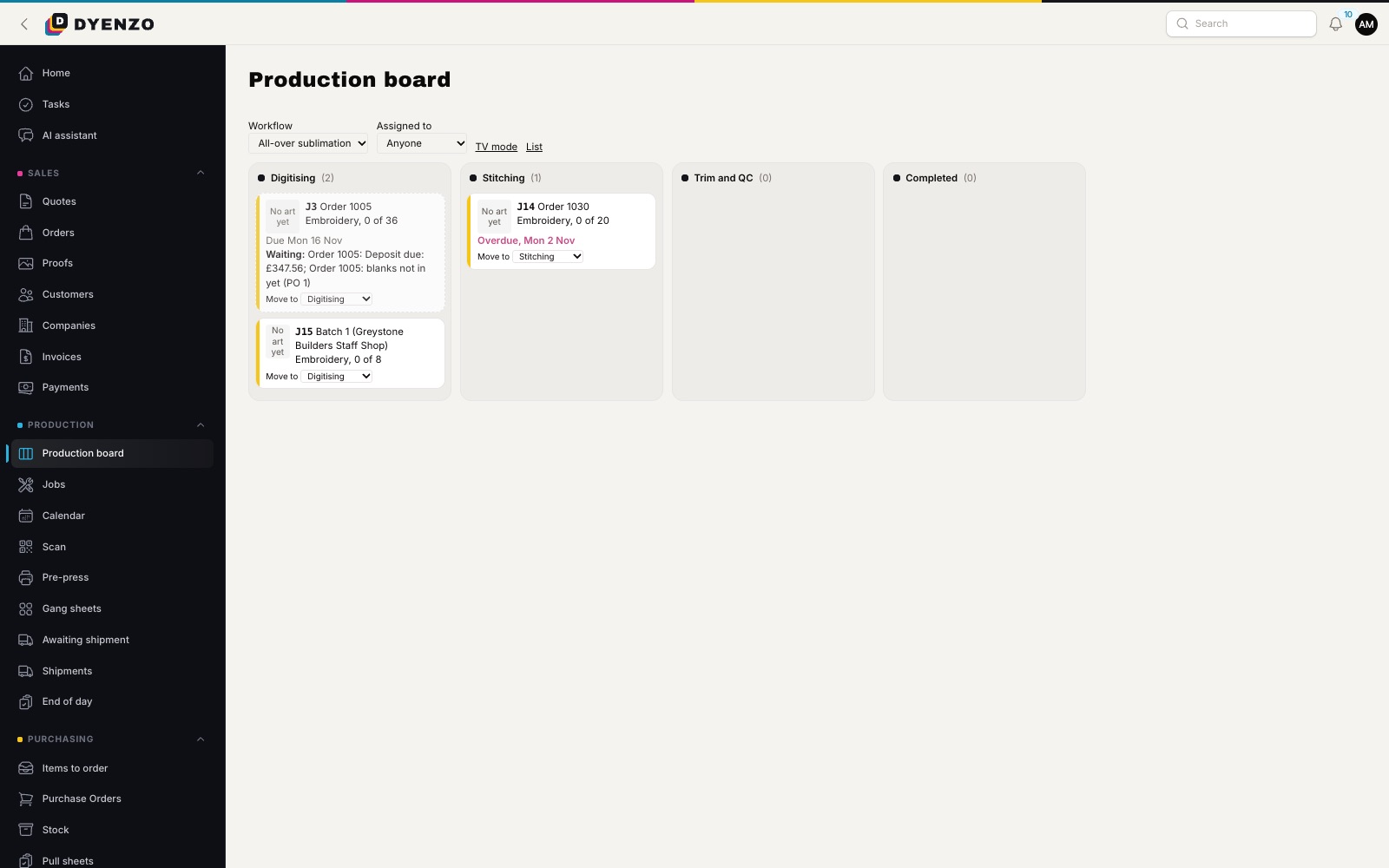
Step 6: blanks, delivery and the money
Raise purchase orders for the blanks the batch needs. Ship to each player with live carrier rates, or deliver the lot to the club for the delivery charge you set on the store. Store prices come from your normal price grids at the quantity you expect the store to sell, with one-off setup fees left off each order. If the club wants one bill rather than fifty card payments, issue a final invoice for every order in the store to one bill-to name in one step.
What the coach or organiser sees
The organiser signs in to your customer portal and sees their stores only. They get the orders, the sizes to hand out for each item, the player list and the money raised so far, and can download it all as a CSV. They never see a buyer's email, phone number or address, which keeps parents' details private.
Fundraising that adds up
Set an amount per item or a share of the goods. The fundraising amount is fixed on each order when it is paid, so the total never drifts. Payouts to clubs are recorded in Dyenzo and exported as a CSV for your own bank payment.
Questions
Can a coach see the orders?
Yes. The store organiser signs in to see orders, sizes to hand out, players and money raised, and can download a CSV.
How long should a team store stay open?
Most shops run a team store for one to two weeks. Long enough for every family to order, short enough that the club gets its kit before the season. You set the dates on each store.
Can parents pay by cash or bank transfer?
Yes, if you allow it. You can offer bank transfer, cheque or cash for stores alongside card payments, with your own instructions. Staff record the money when it arrives.
Can I reuse a store next season?
Yes. Clone the store, change the dates and open it again. Templates also carry your usual settings into every new store.
Do store orders take a share of my sales?
No. Card payments go straight into your own Stripe account.
Can I check each order before it goes to production?
Yes. Turn on staff approval for a store and each order waits for your OK.
Related
Dyenzo is opening to its first print businesses
Write to us for early access. Tell us what you print and which modules you need.